1. Template
2.00.066 attribute features: server/shared attributes are forwarded only when selected. Process data (
process_data) stores persistent calculation state. See Device Attribute Forwarding and Process Data for UI steps, scripts and template behavior.
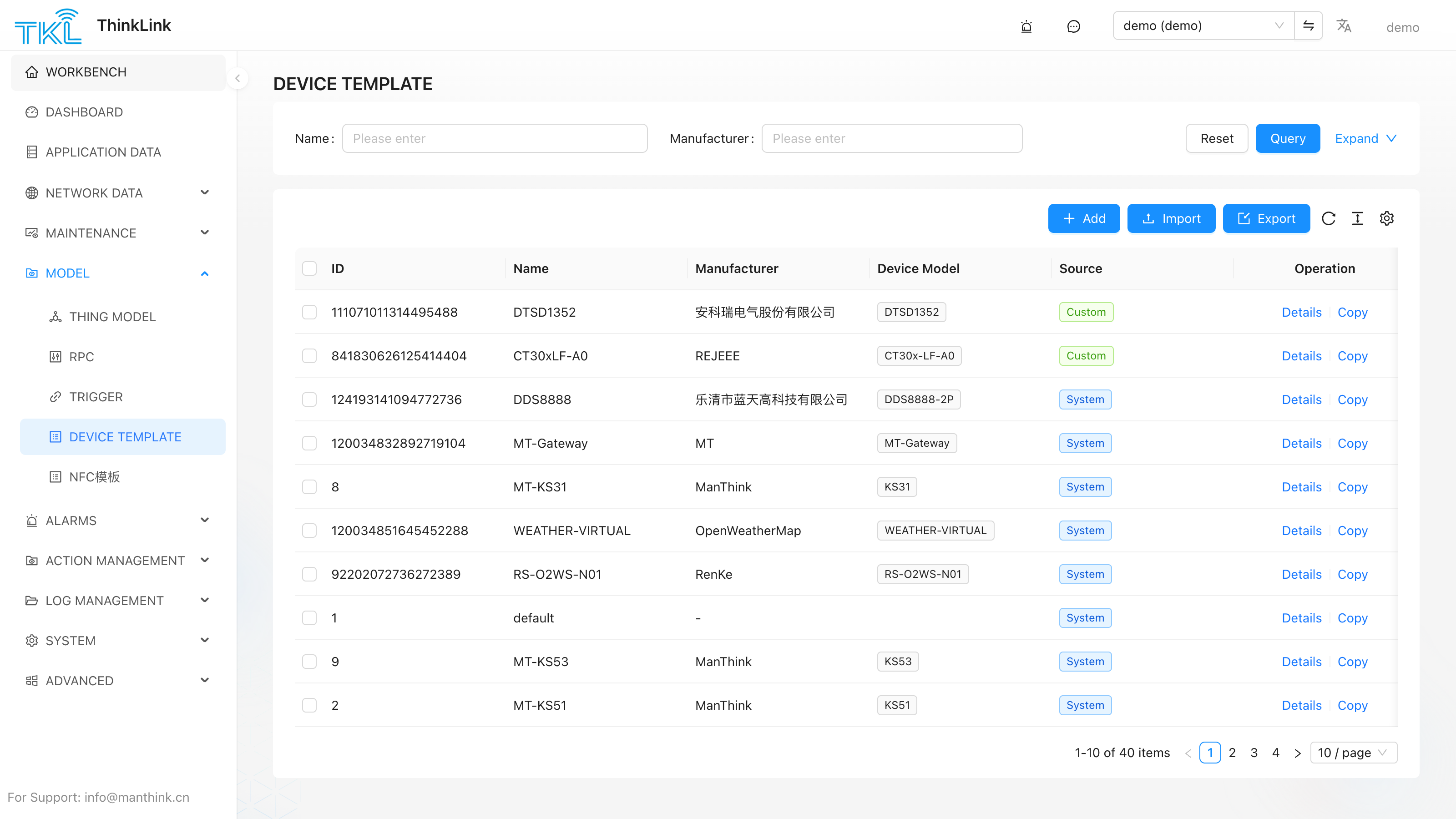
A Template bundles multiple models and configuration presets into a reusable set. When adding a device individually or importing devices in bulk, you can select a template and apply all bound models and default settings in one step — eliminating repetitive manual configuration.
1.1. Creating a Template
Open Model → Template and click Add. The configuration dialog contains the following sections.
1.1.1. Basic Configuration
| Field | Description |
|---|---|
| Name | A unique display name for the template. |
| Heartbeat Period (S) | Expected heartbeat interval in seconds. Default: 86400 (24 h). Used for device online/offline detection. |
| Online/Offline Notifications | notify_offline, string "TRUE" / "FALSE", disabled by default; see compatibility below. |
| Real-time Storage | Select the real-time data storage policy to apply to devices using this template. |
| Geographic Location | Bind a geographic location to devices created from this template. |
| Tags | Assign one or more tags. Tags are inherited by devices created from this template and can be used for filtering. |
1.1.2. Model Binding
| Field | Description |
|---|---|
| Thing Model | Select the thing model that defines the data points and properties for devices using this template. |
| Trigger Model | Select a trigger model to apply event-driven logic to all devices created from this template. |
| RPC | Bind an RPC configuration so that the corresponding remote commands are available on all devices. |
1.1.3. Integration Options
The following integrations can be enabled and pre-configured within a template. When a device is added using this template, the selected integrations are automatically applied.
| Field | Description |
|---|---|
| Alarm | Bind an alarm configuration. |
| BACnet | Enable BACnet integration settings. |
| MCP | Enable MCP-related options. |
1.2. Attribute Configuration
Templates support two types of pre-defined attributes that are automatically applied to devices created from the template.
Server Attributes
Server attributes are stored and managed on the platform side. They are typically used for device identification, configuration parameters, or metadata that the server controls.
| Column | Description |
|---|---|
| Index | Auto-incremented row number. |
| Name | Display name of the attribute. |
| Attribute Name | The key used in the data model and API. |
| Unit | Optional unit label (e.g., °C, kWh). |
| Default Value | The initial value applied when a device is created using this template. |
| Remark | Optional description or notes. |
Click Add in the Server Attributes section to add a new row.
Shared Attributes
Shared attributes can be read by both the platform and the device. They are typically used for configuration values that may be pushed down to the device (e.g., reporting interval, threshold settings).
The column structure is identical to Server Attributes.
After setting attributes in a template, these attributes can also be referenced within the associated Thing Model. When a device is created using this template, all pre-defined server attributes and shared attributes are automatically added to that device.
1.3. Using a Template
Adding a Single Device
When adding a new device, select a template from the Template dropdown in the device creation form. All models, integrations, and default attribute values defined in the template are applied immediately upon saving.
Bulk Import
When importing devices via CSV or batch import, you can specify a template name in the import file or select a template in the import dialog. All devices in the batch will share the same model bindings, integration settings, and default attribute values defined by the selected template.
1.4. Location and AI Description
Device configuration templates can now maintain location_code, remark, and skill:
| Field | Description |
|---|---|
location_code | Default location code applied to devices created from this template. The code comes from Location Management. |
remark | Template note. |
skill | Device description for AI assistants or operators, such as model background, wiring, maintenance rules, and troubleshooting tips. |
If the location code in a template does not exist, devices created or imported later may not bind to a location. Create locations first, then reference their codes in templates.
1.5. Reliable Template-Based Creation and Reset (2.00.070)
Creating devices from a template and resetting device configuration use the shared device write queue. Only after the database transaction commits does the platform refresh the cache, release the queue, and notify Modbus. A failed transaction does not expose uncommitted configuration in the cache or notify external services.
Reset preserves existing device instances and process data (process_data). New forwarding rules produced by scripts while database writes are pending are also preserved and returned to the persistence buffer. A missing or inaccessible template produces an explicit error before writing.
A Modbus notification failure is logged without reporting an already committed save as failed. Check saved configuration and protocol-service logs separately. Saving a template alone still does not reapply it to existing devices.
Status Notifications and Compatibility (2.00.084)
Template basic configuration adds notify_offline: string "TRUE" / "FALSE", default "FALSE". Set the actual heartbeat in seconds. Enabled detection declares offline strictly after twice the heartbeat; invalid values fall back to 900 seconds, giving a timeout beyond 1800 seconds. The form's initial heartbeat and the detector's fallback are different concepts.
New devices created from the template inherit the switch. Reset applies its switch and heartbeat, preserves the latest device activity time, and recalculates. Saving a template alone does not reset existing devices. Old Excel files without the column preserve existing device values, default ordinary new records to disabled, and inherit for template-created records. A present empty column defaults to disabled.
Disabling retains the last _online without an extra offline event. Re-enabling initializes absent state but does not repeat an unchanged valid state. Historical messages refresh using current reception time, which does not prove fresh data or healthy operation. See Device Management for the distinct status definitions.