Device Online Check
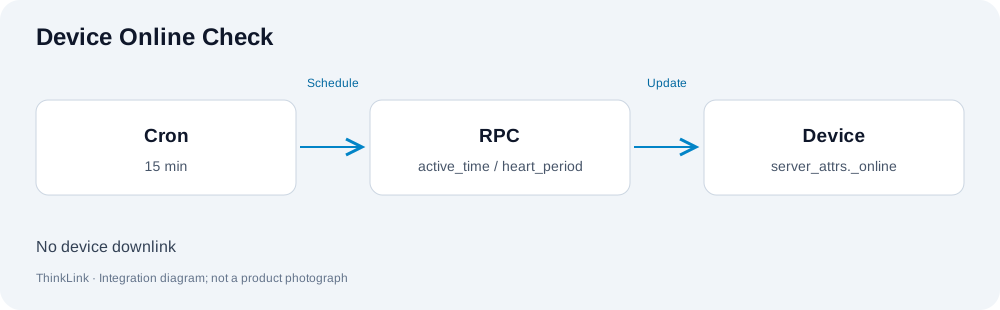
mt_device_online_check maintains server_attrs._online from the last uplink timestamp and device heartbeat period. Use it when devices require scheduled online-state updates.
Setup
Attach this PUBLIC RPC to the device. Create or update a multi-device execution list and include the target devices. Link a scheduled task to that execution, for example every 15 minutes using six-field Cron 0 */15 * * * *. Check the server timezone and execution logs. Binding an RPC and scheduling it are separate steps.
Decision rule
A device is offline only when elapsed time since the last uplink is strictly greater than twice heart_period. Equality remains online. A missing, non-finite, zero or negative heartbeat falls back to 900 seconds; an absent or invalid uplink timestamp means offline. An unchanged state is not written again. A 900-second heartbeat and 15-minute schedule normally expose offline state after approximately 30–45 minutes without uplinks.
Effects and verification
This RPC only updates the server-side flag. It sends no LoRaWAN downlink, creates no sensor sample and does not itself create a separate offline alarm. Inspect the last uplink, heartbeat, schedule and RPC records; verify offline transition and recovery. Only the base version was found in this PUBLIC inventory; a notification extension is not represented here as published.
Model catalog
| Model type | Name | id_name | Platform model ID |
|---|---|---|---|
| RPC | [DEVICE ACT] online check | mt_device_online_check | 141485330535444480 |
Model names and IDs were checked against the ThinkLink PUBLIC catalog on 2026-10-13. Catalog availability does not establish field wiring, firmware installation or physical control acceptance.