ThinkLink Guides / Connectivity & troubleshooting
Onboarding gateways to ThinkLink: ManThink, GWMP, BasicStation and ChirpStack bridges
Select the right gateway type by protocol, verify PIN claiming, regional sub-bands and ChirpStack lns-bridge boundaries before putting gateways into production.
Match the gateway type to its active backhaul protocol rather than hardware brand alone. ManThink gateways must be online for 6-hex PIN claiming, GWMP and BasicStation require aligned endpoints and standards, and ChirpStack bridges require one network server per device plus matching region topic prefixes.
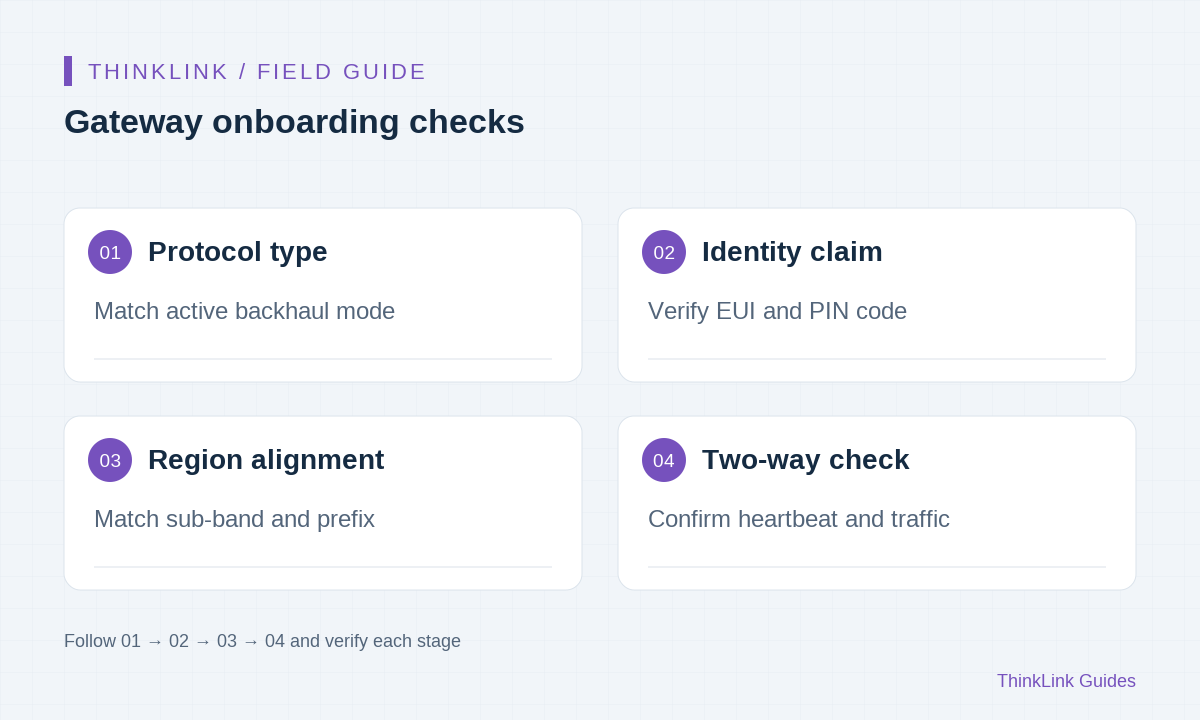
Classify by active backhaul protocol, not vendor name
In ThinkLink's Gateway Management view, the Add Gateway form offers four type options: ManThink, GWMP, BasicStation and GD6. Choose the type based on how the gateway actually communicates with the platform rather than guessing from its enclosure. GD6 gateways should follow their configured mode, third-party Semtech UDP packet forwarders use GWMP, and LoRa Basics Station gateways use BasicStation.
Before adding a gateway, record its unique gwEui from the label, the target ThinkLink server address and open ports, and verify that backhaul connectivity is already working. Fields such as gateway model, hardware version, firmware version and IP address appear read-only because the gateway reports them automatically after coming online; treat them as post-connection verification data rather than manual inputs.
Key requirements across gateway types and ChirpStack bridges
Each onboarding path enforces different identity and network checks. Adding a ManThink gateway requires a valid 6-hex pin_code even if the field is not starred on the form, and ThinkLink claims the gateway live via NMS—so an offline ManThink gateway will fail to add. GWMP uses connectionless UDP 1700 and checks whether another organization already owns the MAC, whereas BasicStation requires selecting the LoRaWAN standard.
When an existing ChirpStack v4 deployment acts as the LoRaWAN Network Server, connect it to ThinkLink through the lns-bridge MQTT forwarder flow. Gateways report to ChirpStack and the bridge exchanges uplinks and downlinks with ThinkLink AS, so the device profile on ThinkOne must be disabled before traffic moves to ChirpStack.
| Onboarding path | Key prerequisites | Common failure mode | Primary check |
|---|---|---|---|
| ManThink | gwEui, valid 6-hex pin_code, gateway online during claim | Offline gateway fails NMS claim, or ThinkOne response timeout appears | Heartbeat time, reported IP and status trend |
| GWMP (third-party UDP) | gwEui, packet forwarder pointing to ThinkLink host and UDP port | Firewall permits TCP only and drops UDP 1700, or MAC belongs to another org | UDP firewall rule and NS uplink records |
| BasicStation | gwEui, explicit LoRaWAN standard and matching server configuration | Mismatched regional standard or TLS handshake failure | LoRaWAN standard field and gateway client logs |
| ChirpStack + lns-bridge | Matching sub-band, aligned gateway-bridge prefix, disabled prior NS profile | Default eu868 topic prefix drops frames, or leading space in nsAddress stops uplinks | gateway-bridge event logs and forwarder subscriptions |
Location binding and ChirpStack bridge alignment details
Gateway Management allows binding a location_code so operators can browse gateways inside Location Management, alongside optional remark and skill fields for maintenance notes. Geographic location selection is separate from manual latitude and longitude coordinates, so enter valid coordinates if used. The default heartbeat interval is 60 seconds and tracks gateway liveness rather than sensor sampling cadence.
For ChirpStack bridges, align four configuration points in order. First, enable the exact regional sub-band matching your devices in ChirpStack, such as cn470_0 for 470.3–471.7 MHz uplinks. Second, update EVENT, STATE and COMMAND topic templates in chirpstack-gateway-bridge away from the default eu868 prefix. Third, when switching a gateway to Semtech UDP in gwgen_conf.json, verify nsProtocol and trim any leading whitespace in nsAddress before restarting gwbrgmt. Fourth, disable the original ThinkOne device record so only one Network Server handles the device.
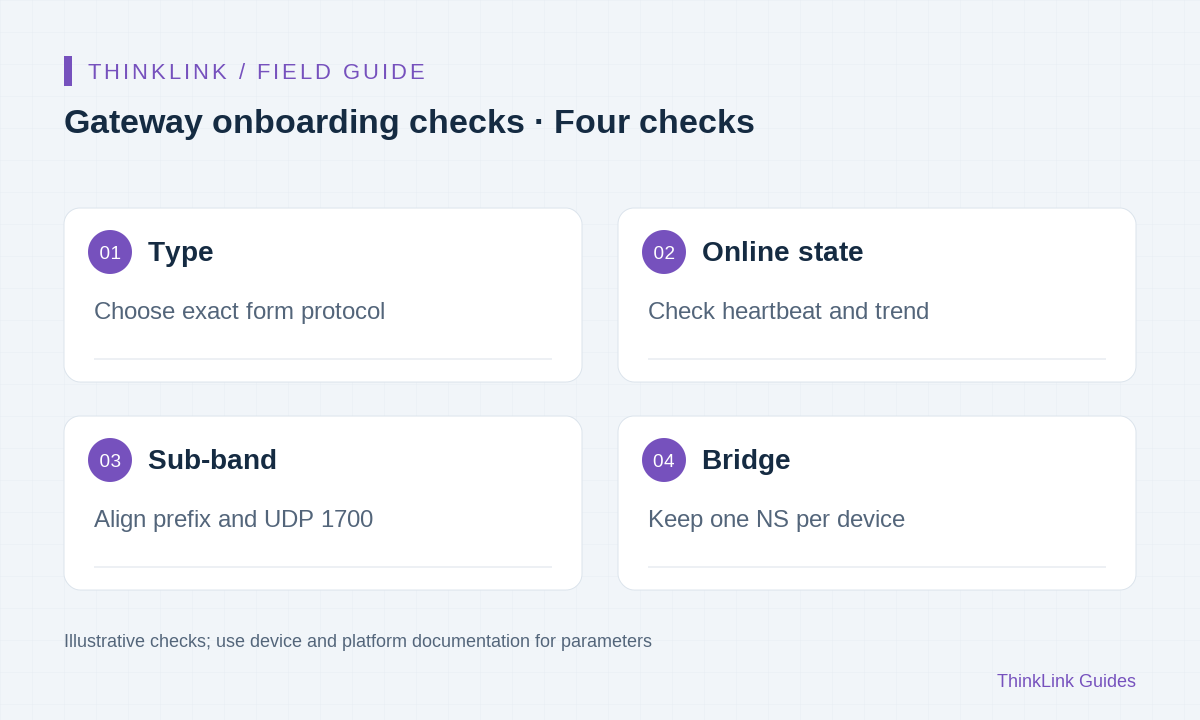
Layered checks for ThinkOne timeouts and dropped frames
If parameter edits, controls or upgrades return a ThinkOne timeout message suggesting you check whether the gateway is online, treat that text as a troubleshooting hint rather than proof that the gateway is offline. A timeout also does not prove the action failed to execute. Refresh status, check operation logs and inspect device feedback before clicking again.
When validating a ChirpStack bridge, test both directions on a single test device. Confirm event=up under the expected regional topic in gateway-bridge logs and verify new telemetry inside ThinkLink; then dispatch a controlled RPC downlink, observe the ChirpStack command/down topic and confirm field behavior. If ChirpStack emits application events after a restart while ThinkLink receives nothing, re-save the bridge forwarder to refresh its MQTT subscription.
- Verify gwEui, gateway type and required fields, ensuring ManThink gateways are online before claiming.
- Check online status, heartbeat timestamp, reported IP and status trend for drop intervals.
- For UDP or ChirpStack setups, confirm UDP 1700 access, regional topic prefixes and channel sub-bands.
- Verify one controlled uplink and one RPC downlink while confirming the legacy NS profile is disabled.
Handover inventory for field operations
Once validated, record each gateway's EUI, protocol type, location code, regional sub-band, backhaul medium and site contact in an operations register that matches platform remarks. On ManThink gateways, routine maintenance can rely on built-in Ping, parameter configuration, status trend and gateway upgrade actions after uploading firmware packages in System Platform.
If a gateway remains online with fresh heartbeats yet repeatedly hits ThinkOne timeouts, capture the timestamp, gateway EUI, operation performed and exact message for administrators to inspect backend connectivity instead of power-cycling hardware blindly. Separating backhaul transport, NS ownership and application logs prevents disruption during future fleet expansion.
Frequently asked questions
Does a ThinkOne response timeout always mean the gateway is offline?
No. Checking whether the gateway is online is only a first diagnostic hint. Verify heartbeat times and status trends first; an online gateway can still experience backend timeouts, and a timeout does not prove a command failed.
Can a device stay enabled in both ThinkOne and ChirpStack during migration?
No. Follow the one-device-one-NS rule and disable the ThinkOne profile before traffic flows through ChirpStack so frame counters and downlinks do not conflict.
Why are model, firmware version and IP address read-only in the gateway form?
ThinkLink populates those fields automatically once the gateway connects and reports status, so operators can confirm real runtime details rather than typing assumptions.
References and further reading
This guide uses the official sources below. Diagrams explain the approach; consult the documentation for your version for exact menus, fields and capabilities. Linked sources are in Chinese.