AI-native building operations
Put sites, buildings, floors, subsystems, and devices in one asset context so environment, energy, alarms, and control evidence can inform one another on a single dashboard.
One asset language, two operational views
Cockpit frames the estate and its spatial posture. Cardlist supports item-by-item inspection, Skill analysis, and RPC actions that remain subject to human confirmation.
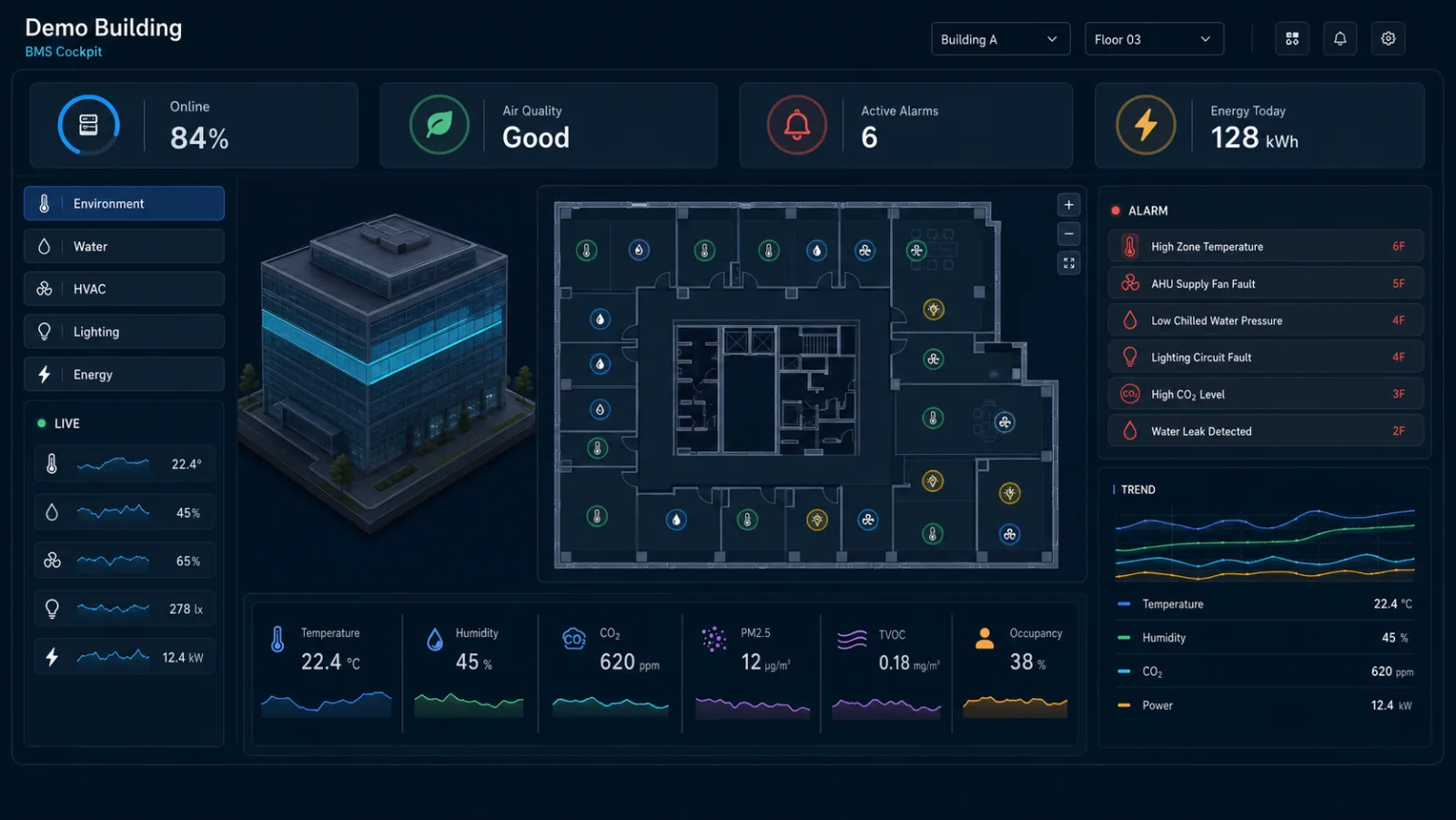
2.5D building cockpit
Layer device points, KPIs, and an alarm stream over a 2.5D building and floor plan, then move from building to floor to subsystem.
-
01 · SPATIAL CONTEXT
Locate systems and devices on the 2.5D floor plan.
-
02 · OPERATING SIGNALS
Read environment, energy, and equipment KPIs together.
-
03 · ALARM TRACE
Move from a building alert to the affected floor and subsystem.
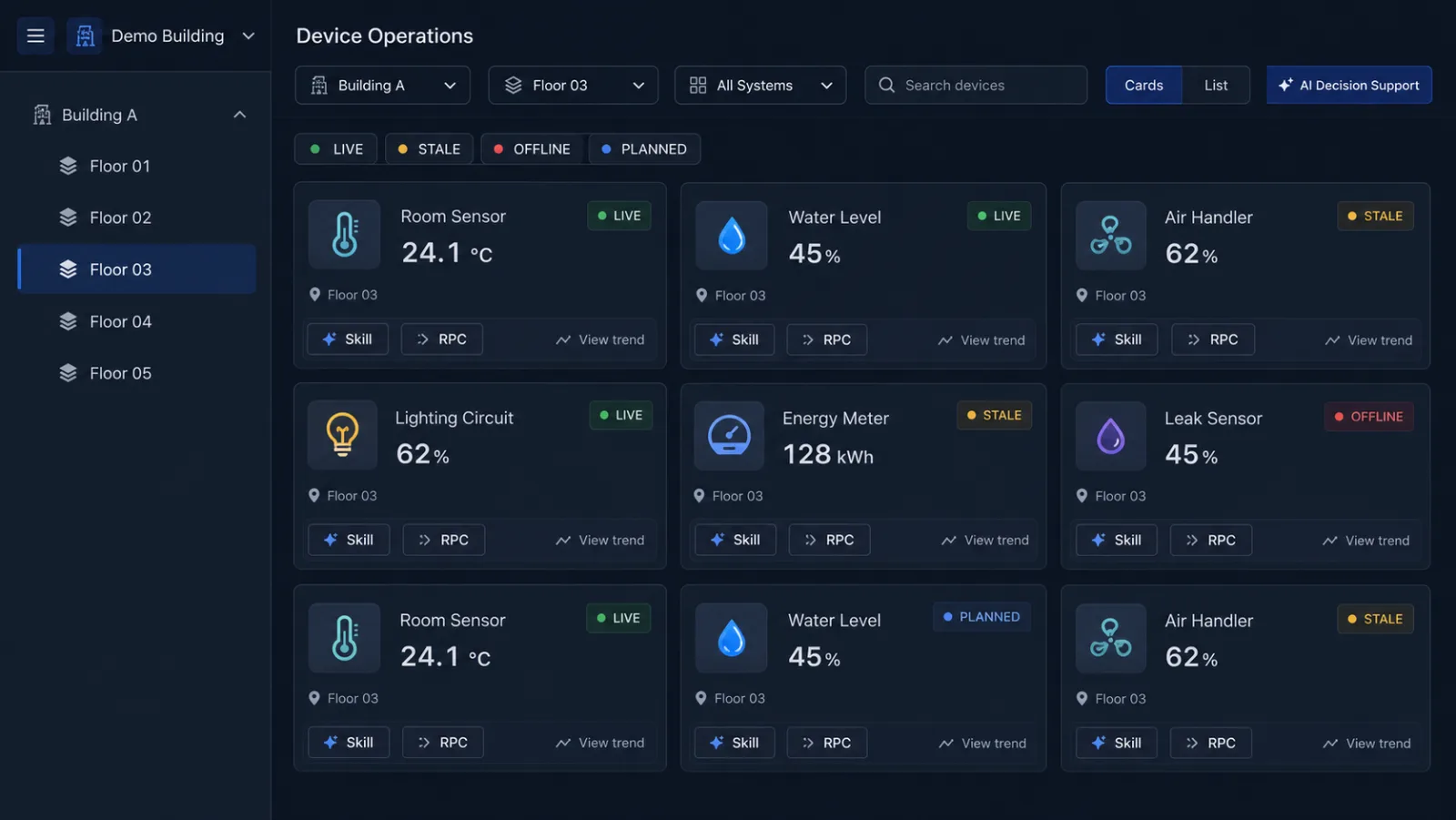
Device state and inspection list
Filter devices by building, floor, and subsystem; read all four data states; then open a device Skill or prepare an RPC that requires operator confirmation.
-
01 · SCOPE FILTERS
Filter by building, floor, subsystem, and equipment type.
-
02 · FOUR DATA STATES
Separate LIVE, STALE, OFFLINE, and PLANNED equipment.
-
03 · SKILL + RPC
Open a device Skill or prepare a human-confirmed RPC.
Turn point alarms into evidenced response options
AI combines devices, locations, trends, and linked states into reviewable recommendations. It never bypasses the operator to control the field.
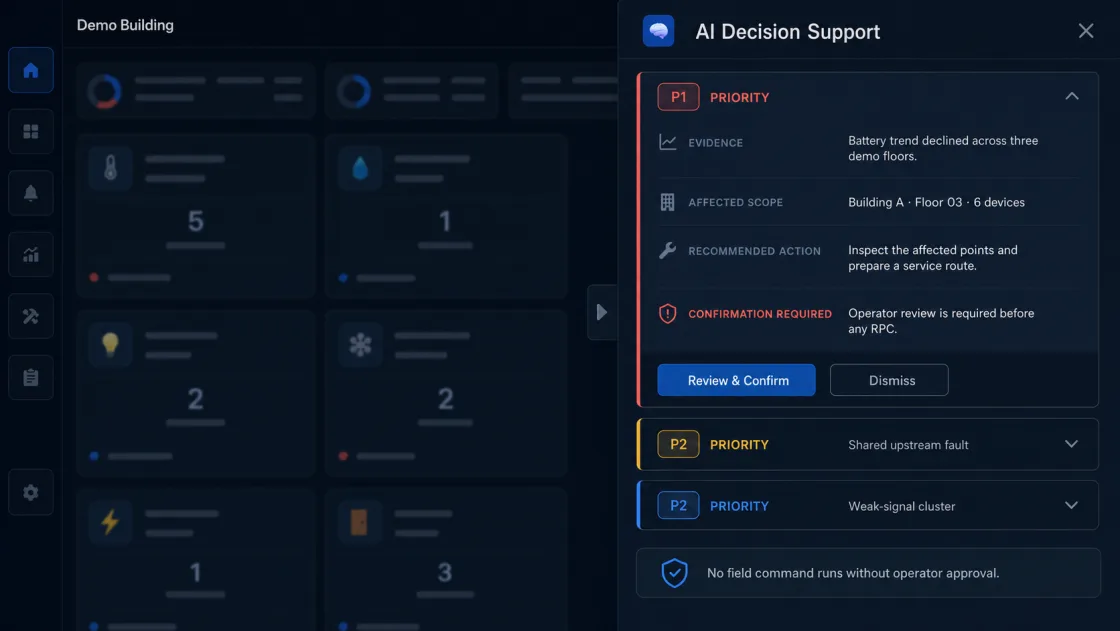
Correlate rising water level with inactive pumps and valves
-
01DETECT
The water level keeps rising while the drain pump or valve has no matching action record.
-
02CONTEXT
Wastewater subsystem → level device → pumps and valves
-
03AI ADVICE
Recommend an on-site check and prepare a controlled pump or valve RPC.
-
04HUMAN CHECK
The operator verifies safety conditions, impact scope, and target equipment.
-
05EXECUTE
After confirmation, create the control task or field work order and retain the operation record.